
CRM Software Development Cost in India (2026 Price Guide)
The CRM software development cost in India depends on the features your business needs, the complexity of your sales process, the number of integrations, and the level of customization required. A basic CRM may only need lead management and follow-up reminders, while an advanced CRM can include automated workflows, WhatsApp integration, sales analytics, customer support, and connections with accounting or ERP software.
For businesses planning a custom CRM in 2026, a useful starting point is to compare a basic system, a mid-level solution, and an enterprise platform before finalizing a budget. Published Indian development estimates vary considerably, so the ranges in this guide are indicative planning estimates, not fixed quotations or guaranteed market averages.
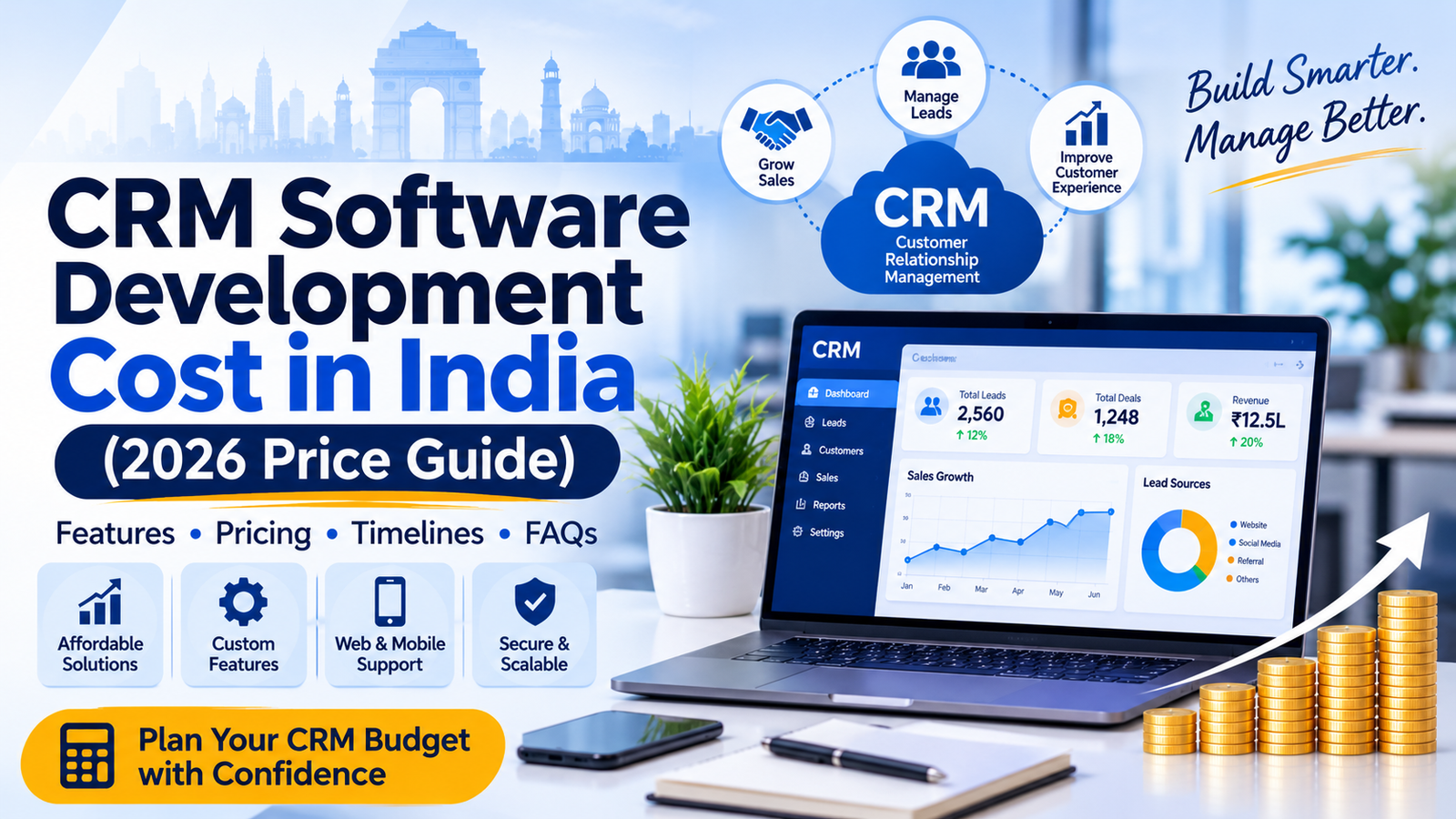
In this guide, we explain CRM development pricing, the features that affect cost, expected timelines, ongoing expenses, and how to decide whether to build a custom CRM or use an existing platform.
How Much Does CRM Software Development Cost in India?
Custom CRM software development in India can cost from around ₹1.5 lakh for a focused, basic solution to ₹25 lakh or more for a highly customized system. Large enterprise platforms with complex integrations, mobile applications, and multi-branch workflows can require a substantially larger budget.
The following table provides an initial budget framework for businesses planning a CRM project.
CRM type | Indicative development cost | Estimated timeline |
|---|---|---|
Basic CRM | ₹1.5 lakh–₹4 lakh | 4–8 weeks |
Standard CRM | ₹4 lakh–₹10 lakh | 8–14 weeks |
Advanced CRM | ₹10 lakh–₹25 lakh | 3–6 months |
Enterprise CRM | ₹25 lakh+ | 6 months or more |
Existing CRM customization | ₹50,000–₹5 lakh+ | 2–8 weeks |
1. Basic CRM Software
A basic CRM is suitable for startups, small businesses, agencies, consultants, and sales teams that want to organize customer information in one place.
Typical features include:
Lead and contact management
Customer profiles and interaction history
Sales pipeline and lead status tracking
Follow-up reminders and task management
Basic user login and permissions
Simple reports and dashboards
Estimated cost: ₹1.5 lakh–₹4 lakh.
This option is useful when a business wants to replace spreadsheets and manual follow-ups without building a large, complicated system.
2. Standard CRM Software
A standard CRM is designed for growing businesses that need better control over leads, employees, sales activities, and customer communication.
Common features include:
Everything included in a basic CRM
Automated lead assignment
Custom sales stages and workflow rules
WhatsApp or email integration
Role-based access for employees and managers
Advanced reports and sales dashboards
Quotation generation and document management
Lead source tracking and conversion reporting
Estimated cost: ₹4 lakh–₹10 lakh.
The final cost depends on how these features work together and whether integrations use existing APIs or require custom development.
3. Advanced CRM Software
Advanced CRM systems are useful for businesses with multiple departments, large lead volumes, specialized sales processes, or more demanding reporting requirements.
Features may include:
Multi-team and multi-branch management
Advanced workflow automation
Telephony and call tracking
Integration with accounting, inventory, or ERP software
Custom approval processes
Detailed performance analytics
Mobile-friendly sales operations
Advanced security and audit logs
Estimated cost: ₹10 lakh–₹25 lakh.
Businesses should define their workflows carefully at this level. Integrations, permissions, data migration, and testing can significantly influence both price and delivery time.
4. Enterprise CRM Software
Enterprise CRM development is intended for organizations that need a platform built around complex business operations.
Possible capabilities include:
Multiple branches, departments, and business units
Complex access permissions and approval hierarchies
Integration with several business applications
Large-scale data migration
Dedicated mobile applications
Advanced analytics and forecasting
High-availability architecture and disaster recovery
Custom security, compliance, and audit requirements
Estimated cost: ₹25 lakh or more.
Enterprise projects need a detailed scope, technical architecture, delivery milestones, and support plan before a reliable estimate can be provided.
What Factors Affect CRM Software Development Cost in India?
Two businesses can have the same number of employees but need very different CRM systems. A small real estate agency may require property enquiry tracking and site-visit scheduling, while a recruitment company may need candidate records, employer accounts, interview scheduling, and placement tracking.
These are the main factors that determine the final development budget.
1. Features and Modules
Each additional module introduces development, testing, and maintenance work. A CRM focused on lead tracking is generally simpler than a system that also manages quotations, customer support, payments, and inventory.
CRM module | What it does | Cost impact |
|---|---|---|
Lead management | Captures, assigns, and tracks leads | Low to medium |
Sales pipeline | Tracks opportunities and deal stages | Low to medium |
Follow-up automation | Schedules reminders and actions | Medium |
WhatsApp and email | Connects customer communication | Medium |
Reports and dashboards | Measures sales and team performance | Medium |
Telephony integration | Connects calls and call records | Medium to high |
Billing and quotations | Generates commercial documents | Medium to high |
Mobile application | Supports field teams and mobile workflows | High |
ERP and accounting integration | Connects business operations and financial data | High |
These are relative complexity indicators, not individual module quotations. The actual cost depends on the number of workflows, integration requirements, and how much customization is necessary.
2. Customization Requirements
An off-the-shelf CRM provides predefined features and workflows. A custom CRM can be designed around your specific business processes.
For example, a real estate business might need automatic lead distribution by property location, budget, and sales executive. A recruitment agency might require separate pipelines for employers, candidates, interviews, and placements.
Custom fields, business-specific rules, approval systems, and specialized dashboards can increase development time and cost. The more your requirements differ from standard CRM functionality, the more important detailed planning becomes.
3. Third-Party Integrations
Integrations connect your CRM with the other tools your business uses. They can save time and reduce manual data entry, but they also require additional development and testing.
Common integrations include:
WhatsApp Business Platform: Customer communication and approved messaging workflows.
Email services: Sending messages, tracking activities, and synchronizing communication where supported.
Website forms: Automatically capturing enquiries from your website.
Meta Lead Ads: Importing leads from eligible advertising campaigns.
Telephony systems: Recording call activity and connecting customer records.
Payment gateways: Connecting payment status with customer or order records.
Accounting and ERP systems: Synchronizing invoices, orders, inventory, or financial information.
Some services also charge separate subscription, usage, or API fees. These recurring charges should be included in the total project budget.
4. User Roles and Permissions
A CRM used by five people may require only basic permissions. A CRM used by a large sales team may need separate access for administrators, managers, sales executives, accounts staff, and regional teams.
Role-based access can determine who may view, edit, assign, export, or delete particular records. Complex permission rules require careful implementation and testing to prevent unauthorized access.
5. UI/UX Design
A well-designed CRM should make daily work easier rather than introduce more steps.
The interface may include dashboards, lead lists, kanban pipelines, customer profiles, filters, notifications, and reports. Custom layouts, mobile-responsive screens, and specialized workflows can increase the design and development effort.
For most businesses, a clean, practical interface is more valuable than adding unnecessary visual effects or complicated animations.
6. Data Migration
If your business already stores customer data in Excel files, another CRM, or multiple applications, that information may need to be transferred into the new system.
Data migration can involve:
Importing existing contacts and leads
Removing duplicate records
Standardizing phone numbers and email addresses
Mapping old fields to the new CRM
Preserving customer activity history where possible
Validating records after migration
The cost depends on the volume, quality, format, and complexity of the existing data.
7. Security, Testing, and Deployment
A CRM may contain customer contact information, sales records, contracts, and other business data. Appropriate access controls, secure authentication, backups, and testing should be considered from the beginning.
Deployment requirements also matter. A straightforward cloud-hosted CRM may be simpler to launch than a system requiring private infrastructure, multiple environments, disaster recovery, or specialized compliance controls.
CRM Development Cost by Business Type
The business sector influences which CRM features are required. The following examples illustrate how scope can affect the budget.
Business type | Common requirements | Indicative budget |
|---|---|---|
Small agency | Leads, follow-ups, tasks, basic reports | ₹1.5 lakh–₹4 lakh |
Real estate company | Property enquiries, site visits, agent assignments, deal tracking | ₹3 lakh–₹8 lakh |
Recruitment agency | Employer and candidate records, interview tracking, placement workflows | ₹3 lakh–₹10 lakh |
E-commerce business | Customer profiles, orders, support, marketing integrations | ₹4 lakh–₹12 lakh |
Field sales company | Sales representatives, visit tracking, mobile workflows, reporting | ₹5 lakh–₹15 lakh |
Multi-branch enterprise | Advanced permissions, integrations, consolidated analytics | ₹15 lakh–₹25 lakh+ |
Custom CRM vs Ready-Made CRM: Which Is More Cost-Effective?
Before investing in custom CRM software development, compare building a new system with configuring an existing platform.
Factor | Custom CRM | Ready-made CRM |
|---|---|---|
Initial investment | Usually higher | Usually lower |
Time to get started | Longer | Often shorter |
Business-specific workflows | Can be tailored extensively | Depends on platform capabilities |
Recurring licence fees | May avoid per-user licence fees | Often charged per user or subscription |
Maintenance | Your team or vendor manages it | Provider handles the core platform |
Integrations | Can be built to your requirements | Depends on available integrations and plans |
Source code ownership | Depends on the contract | Usually not owned by the customer |
Future changes | Controlled by your project roadmap | Subject to platform features and restrictions |
When Should You Choose a Ready-Made CRM?
A ready-made CRM may be the better choice if:
You need a system quickly.
Your sales process follows standard workflows.
You want a low initial investment.
You prefer the vendor to maintain the core platform.
Your required features are already available.
When Should You Choose Custom CRM Development?
Custom development may be more appropriate if:
Your business follows specialized workflows.
You need several systems connected through custom integrations.
Standard CRM products cannot support your operational requirements.
You need greater control over the interface and development roadmap.
Your business case justifies the initial investment and ongoing maintenance.
Important: Custom development is not automatically cheaper over time. Compare the initial build, hosting, maintenance, support, integration fees, and future upgrades against the subscription cost and limitations of existing products.
How Long Does CRM Software Development Take?
CRM development timelines depend on the number of modules, the availability of requirements, the complexity of integrations, and the time needed for testing and feedback.
Development stage | Estimated duration |
|---|---|
Requirement gathering and planning | 1–2 weeks |
UI/UX design and prototyping | 1–3 weeks |
Core CRM development | 3–8 weeks |
Integrations and automation | 1–6 weeks |
Testing and deployment | 1–3 weeks |
These stages can overlap. A basic CRM may be delivered in approximately 4–8 weeks, while a more complex system can take several months.
To avoid unnecessary delays, finalize the core requirements before development begins and appoint someone who can provide timely feedback on the design and features.To avoid unnecessary delays, finalize the core requirements before development begins and appoint someone who can provide timely feedback on the design and features.
Hidden Costs to Consider When Developing a CRM
The initial development quotation is only one part of the total cost of owning a CRM. Businesses should also plan for ongoing operating expenses.
Expense | What to consider |
|---|---|
Hosting and cloud services | Server resources, storage, backups, and traffic |
Annual maintenance | Bug fixes, security updates, and compatibility changes |
Third-party APIs | Messaging, telephony, email, and other service charges |
Domain and SSL | Domain renewal and any applicable hosting or security costs |
Future enhancements | New modules, workflows, and reports |
Training and onboarding | Helping employees adopt the system |
Data migration | Importing, cleaning, and validating existing records |
Support | Technical assistance and agreed response times |
CRM Maintenance Cost
As an initial budgeting assumption, consider reserving around 15%–20% of the original development cost per year for maintenance and technical support. This is a planning guideline rather than a fixed industry rate; the actual amount depends on the service agreement, system complexity, and frequency of updates.
For example, if a CRM costs ₹5 lakh to develop, a maintenance allowance of ₹75,000–₹1 lakh annually would be a reasonable starting point for budgeting. Hosting, paid APIs, major new features, and additional support may cost extra.
How to Reduce CRM Software Development Cost
You do not need to build every feature at once. A phased approach can help businesses control their budget while delivering useful functionality early.
1. Start With an MVP
A minimum viable product (MVP) contains the essential features needed to solve your main business problem.
For a sales CRM, this could include lead capture, customer records, sales stages, follow-up reminders, and basic reporting. Advanced analytics and additional modules can be added after the core system is in use.
2. Prioritize Features
Divide requirements into three categories:
Essential: Features required for day-to-day operations.
Important: Features that improve productivity but can follow later.
Optional: Enhancements that are not immediately necessary.
This helps avoid spending the initial budget on features that employees may rarely use.
3. Use Existing Integrations Where Practical
If a reliable API or supported integration already exists, using it may be more economical than developing the entire connection from scratch. However, verify the provider’s usage charges, technical limitations, and long-term availability before making a decision.
4. Plan User Roles and Workflows Early
Changes to permissions, database structures, and business rules can require substantial rework when introduced late. Document who can access which information and how leads move through the sales process before development begins.
5. Compare Complete Proposals
Do not evaluate development vendors on price alone. Compare what each proposal includes: design, development, testing, deployment, documentation, training, support, integrations, and source code ownership.
A low initial quotation may exclude important services that later increase the total cost.
CRM Software Development Process
A structured development process helps keep the project aligned with business objectives and budget expectations.
1. Requirement Analysis
Identify your business challenges, user roles, lead sources, existing tools, and essential CRM features.
2. Planning and UI/UX Design
Prepare the system architecture, database structure, screen layouts, and workflows before full development.
3. Development
Build the CRM modules, permissions, dashboards, automation, and agreed integrations.
4. Testing and Quality Assurance
Test workflows, permissions, integrations, data accuracy, and performance before launch.
5. Deployment and Training
Deploy the application, configure backups, migrate approved data, and train employees.
6. Maintenance and Improvement
Monitor performance, resolve issues, and add new features as business requirements evolve.
How to Choose the Right CRM Development Company in India
Selecting the right development partner can influence the quality, timeline, and long-term cost of your CRM.
Before finalizing a company, consider the following:
Relevant experience: Look for experience with CRM platforms, workflow automation, and integrations similar to your requirements.
Clear project scope: Ensure the proposal lists the agreed modules, deliverables, exclusions, and milestones.
Transparent pricing: Understand whether the quotation is fixed-price, milestone-based, or time-based.
Technical capability: Discuss security, database design, scalability, backups, and third-party API requirements.
Ownership terms: Confirm the rights to source code, documentation, and business data.
Post-launch support: Check the maintenance period, response times, and charges for additional changes.
A reliable development partner should explain why a particular feature affects the budget and help you distinguish essential requirements from optional enhancements.
For more information about tailored business applications, explore our Software Development Services.
Frequently Asked Questions
1. What is the average CRM software development cost in India in 2026?
There is no single reliable average for every CRM project. For planning purposes, a basic CRM may cost around ₹1.5 lakh–₹4 lakh, a standard CRM ₹4 lakh–₹10 lakh, and a more advanced solution ₹10 lakh–₹25 lakh or more. The final price depends on the project scope and implementation requirements.
2. What is the minimum cost to develop a custom CRM in India?
A focused CRM MVP may start around ₹1.5 lakh, depending on the development team and the required functionality. A quote should specify which features, testing, deployment, and support are included.
3. How much does CRM software cost for a small business?
A small business with basic lead management, contact records, follow-up reminders, and simple reports could use an indicative development budget of ₹1.5 lakh–₹4 lakh. If an existing CRM meets your needs, configuring that platform may require a smaller initial investment.
4. How much does WhatsApp CRM integration cost?
The cost depends on whether you need simple notifications, approved message templates, automated workflows, two-way communication, or a complete customer conversation interface. Provider fees and message charges may apply separately, so the scope should be defined before requesting a quotation.
5. Is custom CRM better than ready-made CRM software?
Custom CRM is useful when your workflows or integration needs cannot be handled effectively by an existing platform. Ready-made CRM software may be more suitable when you need standard features quickly and prefer a subscription model. Compare total ownership costs and business requirements before deciding.
6. How long does it take to develop CRM software?
A basic CRM may take around 4–8 weeks. A standard solution can take 8–14 weeks, while an advanced or enterprise CRM may require several months. Timelines depend on feature complexity, integrations, testing, and feedback.
7. What are the ongoing costs of custom CRM software?
Ongoing costs can include hosting, backups, maintenance, security updates, third-party APIs, technical support, and future enhancements. As a preliminary estimate, businesses may reserve 15%–20% of the initial development cost annually for maintenance, with other expenses budgeted separately.
8. Can CRM software integrate with ERP, accounting, and inventory systems?
Yes. A custom CRM can integrate with ERP, accounting, inventory, payment, website, email, and other systems when suitable APIs or integration methods are available. The cost depends on the systems involved, data flows, and synchronization requirements.
9. Can CRM software be developed for a specific industry?
Yes. CRM solutions can be tailored for real estate, recruitment, healthcare administration, education, manufacturing, e-commerce, and other industries. Industry-specific workflows and reporting requirements affect the development estimate.
10. How can I get an accurate CRM development quotation?
Prepare a list of required modules, user roles, integrations, reports, data migration needs, and expected users. Share this scope with a development company and request a written estimate that separates development, deployment, maintenance, and recurring third-party charges.
Conclusion
The CRM software development cost in India depends on how closely the system needs to match your business processes. A basic CRM can help a small team organize leads and follow-ups, while a more advanced solution can connect sales, customer service, communication, reporting, and other business operations.
The best starting point is to identify your essential requirements, compare custom development with ready-made CRM platforms, and plan for ongoing maintenance as well as the initial build.
If you are planning a CRM for your business, begin with the workflows that matter most and expand the system as your needs grow. A clearly defined scope makes it easier to estimate costs, compare proposals, and build a solution that supports long-term business growth.
Need a custom CRM for your business? Explore our Software Development Services to learn more about building software around your business requirements.